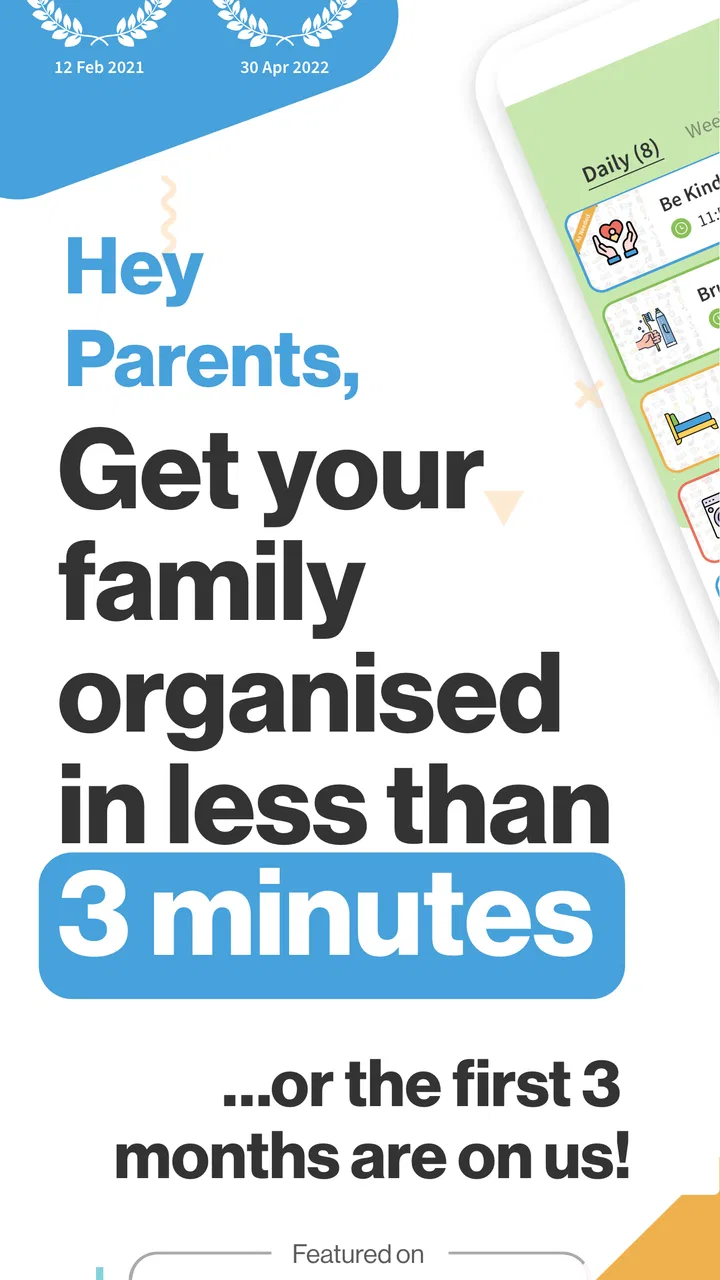
S'moresUp - Smart Chores App
- 3.1
- Rating
- 100.00K
- Installs
- Free
- Price

 Analysis by App-foxy
Getting children to share household responsibilities is rarely difficult because the chores themselves are complicated. The harder part is remembering what needs doing, deciding who should do it, and following up without turning every task into an argument. I approached S'moresUp as a parenting app built around that everyday problem, and I found its most interesting quality is the way it tries to turn family coordination into a shared routine rather than a series of reminders from one tired adult.
Developed by Rotation 5, LLC, this free parenting app is aimed at families who want a more organized way to manage chores. It is available for users aged Everyone, supports Android devices running at least version 5.0, and its current version is 10.07.24. The app has passed the point of being a niche experiment: it has more than one hundred thousand installs, while its average rating sits at 3.1 from roughly a thousand ratings. That combination tells me something useful before opening it: plenty of families have tried it, but the experience is not universally smooth.
I think that mixed reception is important. This is not an app I would recommend simply because it promises “smart parenting.” Its value depends on whether every person in the household is willing to use the system consistently, and that makes connectivity, device habits, and recovery from missed tasks just as important as the chore list itself.
You May Also Like

 Blood Strike: 2.5 Anniversary
Blood Strike’s Loadouts Turn Every Drop Into a Tactical Gamble
A close look at Blood Strike’s custom loadouts: how fast access to signature weapons reshapes its battle royale rhythm, rewards preparation, and narrows the gap between fights.

 Pandora - Music & Podcasts
Pandora’s Music Is Easy to Start, but Harder to Recover
Pandora’s strength is its low-effort path from a seed to a station. Its weak spot is how much confidence it asks you to place in connection, setup, and quiet recovery.

 8 Ball Pool
 Is Built on Rivalries, Rematches, and Routine
A close look at the rivalries, rematches, shared routines, and unanswered safety questions that turn a quick pool match into a persistent mobile community.

 Samsung Music
’s Quiet Strength Is Playing What You Already Own
Its reach comes less from spectacle than from dependable access to a personal library. That simplicity is both the app’s strongest retention engine and its ceiling.

 AccuWeather: Weather Radar
AccuWeather Review: A Quick, Clear Forecast for Everyday Decisions
For everyday plans, the best forecast is the one you can understand quickly. AccuWeather makes rain timing, radar, and local conditions easy to act on, with a few trade-offs.

 Hill Climb Racing
Why Hill Climb Racing Still Turns Crashes Into One More Run
A tiny car, a bumpy hill and one more upgrade: Hill Climb Racing keeps resurfacing because its simple chaos makes every near-miss feel personal.
More From Our News Desk



How S'moresUp fits into real family routines
I find S'moresUp most useful when a family treats it as a shared starting point, not as a digital referee. Before adding tasks, agree on what “done” means and when each person will check the routine; that small conversation can prevent a completed chore from becoming a dispute over whether anyone recorded it. From there, the key question is how responsibilities pass between parents and children in the middle of an ordinary day.
From parental reminders to a visible family system
The usual alternative is a paper chart on the refrigerator, a shared notes file, or a parent repeatedly saying, “Did you do that yet?” Those methods can work, especially with younger children, but they depend heavily on one person maintaining the system. A chore-focused app offers a different approach: responsibilities can become visible in the same place where the family manages other digital routines.
What I like about this concept is the shift in tone. Instead of treating chores as spontaneous requests, the household can treat them as agreed responsibilities. That distinction matters when a child claims not to know what was expected or a parent forgets whether a task was assigned. A digital record does not automatically solve disagreements, but it gives the family a shared reference point.
The app is best suited to families who are ready to make chores predictable. If your household only needs an occasional reminder to take out the rubbish, a general calendar or reminder app may be simpler. S'moresUp makes more sense when several people have recurring responsibilities and the parent wants less mental bookkeeping.
A practical school-night example
Imagine a weekday evening when one child has homework, another has practice, and dinner is already running late. Rather than inventing a list in the moment, a parent can use the family chore routine as the starting point: one child knows what belongs to them, another has a different responsibility, and the adult can check progress without reconstructing the entire plan from memory.
The useful insight here is not merely “put chores in an app.” It is to separate planning from enforcement. I would set up the routine during a calm weekend, when everyone can discuss what is reasonable, then use the app during busy evenings only to confirm the plan. If you build the system while everyone is already frustrated, the app can feel like another demand instead of a neutral tool.
For children, visibility can make expectations feel fairer, but only if the assignments are genuinely balanced. No app can detect that one child’s task is harder, messier, or more time-consuming than another’s. I would review the arrangement regularly rather than assuming an equal number of chores means an equal workload.
Where the mobile experience helps
A parenting app has to fit into movement. Parents may be in the kitchen, children may be leaving for school, and nobody wants to sit at a desk just to check a household task. S'moresUp is most useful in these short mobile moments: setting up the day, checking what remains, or confirming that a responsibility has been handled while moving between rooms.
That convenience also creates a behavioral trade-off. A phone makes the chore system available, but it can be easy for a child to ignore an app notification or for a parent to check it only when something has gone wrong. I would treat the app as a shared routine, not as an automatic substitute for conversation. A quick family agreement about when everyone checks it is likely to matter more than installing it on every device.
Families should also think about device access. If a child does not regularly use a compatible phone or tablet, a wall chart may remain more practical for that child. The app should support the family’s existing habits, not force every household member to become a frequent mobile user.
Connectivity changes the experience
Because this is a connected family-management experience, the smoothest moments happen when the people involved can reach the app at the time they need it. A parent may assign or review a task at home, while a child checks responsibilities elsewhere. When that exchange is timely, the app feels like a common family workspace rather than a private checklist.
The opposite is also worth considering. If a family member is in a poor-signal area, has limited access to the device, or simply does not open the app regularly, the digital chain becomes less reliable. I would not build a household rule that depends on an immediate app update unless everyone has tested that routine for themselves. For important responsibilities, a spoken reminder or visible backup can prevent a connectivity problem from becoming a family dispute.
This is one of the less obvious decisions when choosing a chore app: the best feature set is not always the one with the most automation. A simpler system that everyone can access at the right moment may outperform a more ambitious one that only the parent checks.
Recovering after missed chores
Any chore system has failure points. A child forgets, a parent assigns too much, a task is completed but not marked, or a busy day makes the whole routine collapse. The way a family responds to that failure determines whether the app becomes helpful or punitive.
My advice is to use the record as a conversation starter, not as courtroom evidence. If a task appears incomplete, first ask whether it was forgotten, misunderstood, or done without being recorded. This matters especially with younger children, who may not understand that completing the physical task and updating the digital status are separate actions.
A useful recovery habit is a short weekly reset. Look at what repeatedly goes unfinished and decide whether the problem is motivation, timing, unclear instructions, or an unrealistic assignment. If the same chore fails every week, moving it to a different part of the day may help more than adding another reminder.
I would also avoid using the app to track every minor household action. Over-recording can create friction and make children feel watched rather than trusted. Use it for responsibilities where clarity genuinely helps, then leave small acts of cooperation outside the system. That balance keeps the tool from becoming the family’s entire definition of helpful behavior.
Rewards, motivation, and the limits of gamification
Chore apps often appeal to parents because they can make responsibility feel more concrete. That can be useful, particularly when a child responds better to visible progress than to repeated verbal prompts. However, I would be cautious about turning every household task into a transaction.
In my view, the strongest use is to combine the app with a family explanation of why the work matters. A child can understand that feeding a pet, clearing a table, or organizing personal belongings contributes to everyone’s day. If the only reason to complete a task is to receive something, motivation may disappear when the reward changes.
This is another place where S'moresUp may not suit every family. Parents who want a very simple, values-based conversation about shared work may prefer a paper chart. Families who need a structured system to make responsibilities visible may appreciate the digital approach more. Neither choice is automatically better; the right one depends on whether your children respond to structure or resist it.
Keeping the household data-conscious
When an app becomes part of family life, I recommend being deliberate about what you enter. Use clear task names that everyone understands, but avoid filling the system with unnecessary personal details. A chore list rarely needs more information than the responsibility, the person responsible, and the timing the family has agreed upon.
It is also sensible to review who in the household actually needs access. Installing an app on every available device can make the system feel invasive and may create more notifications than useful information. Start with the people who manage or perform the chores, then expand only if the routine proves helpful.
Parents should remember that a connected tool is not the same as a private family conversation. Do not place sensitive comments about a child’s behavior into a task description simply because the field is available. Keep language neutral and practical. “Put sports clothes in the laundry basket” is more useful than a judgmental note that can make a child defensive.
The free entry point makes experimenting relatively easy, but the app also includes in-app purchases ranging from ninety-nine cents to seventy-nine dollars and ninety-nine cents per item. I would explore the basic workflow first and decide whether the household actually uses it before paying for anything. A family should not spend money trying to rescue a routine that was never clearly agreed upon.
What the rating tells me about expectations
The average rating of 3.1, based on around a thousand ratings and several hundred written reviews, suggests that expectations need to be realistic. I would not interpret that score as proof that the app is poor, but I also would not ignore it. Family-management apps are unusually sensitive to small points of friction: a confusing setup step, a missed update, or a child who refuses to participate can affect the whole experience.
The app’s adoption is meaningful, with over one hundred thousand installs, but popularity does not guarantee that it will match your household. I would judge it by a short trial with one simple routine rather than by the install count or store summary. If the family cannot agree on how tasks should be assigned, the app will not create that agreement for you.
Who should try it and who should skip it
I would recommend trying S'moresUp if you are managing several recurring chores, more than one child, or a household where responsibilities frequently get lost in conversation. It is particularly promising for parents who want a shared mobile reference instead of carrying the entire schedule in their head.
I would be more hesitant if your children are too young to interact with a device, if your family has unreliable access to the internet at the moments chores are checked, or if everyone already follows a paper chart without arguments. In those cases, the app may add a layer of administration without solving a real problem.
It is also not the best choice for someone looking for a broad household organizer covering every possible area of family life. A general calendar, shared task manager, or simple notes app may be better when chores are only a small part of your planning. S'moresUp earns its place when chore coordination is the central issue.
My connectivity verdict
After looking at the app through everyday family use, I see its main strength as coordination: it gives a household a dedicated place to define responsibilities and revisit them. That is more focused than a general reminder list, and it can reduce the number of times a parent has to repeat the same instruction.
Its main weakness is equally clear. The system works only as well as the family’s participation and access. A child who does not check the app, a parent who forgets to maintain the routine, or a moment when the connection is not dependable can interrupt the chain. I would keep a simple verbal or visible backup for urgent chores rather than treating the app as the sole authority.
My final recommendation is to start small: create a few genuinely recurring responsibilities, agree on what completion means, and see whether the household checks the system naturally. Do not begin by digitizing every task or buying extras. If the routine reduces arguments and forgotten jobs, the free app has earned a place in your family’s day. If it becomes another screen everyone avoids, a paper chart or shared calendar will probably serve you better.
For me, S'moresUp is a useful parenting app when the problem is unclear ownership rather than a lack of reminders. It is free to begin, suitable for Everyone, and maintained by Rotation 5, LLC, but its real test is practical: can your family use it consistently across real mobile situations, including busy evenings and imperfect connectivity? If the answer is yes, it can bring welcome structure. If not, the simplest system your family will actually follow remains the smarter choice.
FAQs for S'moresUp - Smart Chores App
01What is S’moresUp – Smart Chores App used for?
S’moresUp is a family organization app designed to manage household chores, routines, rewards, and responsibilities in one place. Parents can create tasks, assign them to children, set schedules, track completion, and encourage participation through points or rewards. It is intended to make everyday family work more visible, structured, and engaging rather than relying only on verbal reminders.
02Can parents assign different chores and schedules to each child?
Yes. The app allows parents or family administrators to create personalized chores for individual children or assign the same task to multiple family members. Tasks can usually be organized by frequency, deadline, priority, or routine, which is useful when children have different ages, school schedules, and abilities. This flexibility makes the app suitable for families with several children and varied household responsibilities.
03Does S’moresUp include rewards or incentives for completing chores?
S’moresUp includes tools intended to motivate children by connecting completed chores with points, privileges, or parent-defined rewards. Families can decide what has value in their household, whether that means screen time, an allowance, a special activity, or another incentive. Parents remain responsible for approving tasks and setting fair rules, so the reward system can be adapted to different parenting styles.
04Is S’moresUp suitable for younger children, and is parental supervision required?
The app can be useful for children who are old enough to understand simple instructions and use a phone or tablet, but the experience will depend on the child’s age. Younger children may need help reading tasks, marking them complete, or understanding rewards. Parents should supervise setup, review completed chores, and avoid treating the app as a replacement for communication or direct guidance.
05Is S’moresUp free to download, and are there paid features?
S’moresUp may be available to download at no initial cost, but users should check the current Google Play Store or Apple App Store listing for the latest subscription details, trial conditions, and in-app purchases. Some advanced family-management, customization, or reward features may require payment. Before creating an account, review the pricing page and cancellation terms so there are no surprises.
Pros
- Clear chore assignments help children understand their responsibilities.
- Parents can track completed tasks without constant reminders.
- Reward options make routine chores more motivating for kids.
- Shared family access keeps everyone updated on household duties.
- Recurring tasks reduce the need to recreate the same chore schedule.
Cons
- Some useful features may require a paid subscription.
- The app can feel overwhelming for families with simple chore needs.
- Children may need guidance before using the app independently.
- Notifications can become excessive if too many tasks are scheduled.
- Rewards and allowances may not suit every family’s parenting style.

S'moresUp - Smart Chores App
Gallery